
AI Apps
Memoh - Containerized AI Agent Platform
Memoh integration guide — Connect the self-hosted containerized AI agent platform to AI-Tkoens, creating AI bots with long-term memory for Telegram, Discord, Lark, QQ, WeChat, and more.
- Website: https://memoh.sh
- Documentation: https://docs.memoh.ai
- GitHub: https://github.com/memohai/Memoh
Key Features
- Containerized Isolation: Each bot runs in its own containerd container with a dedicated filesystem and network, supporting snapshots and data import/export
- Memory Engine: LLM-driven fact extraction, hybrid retrieval (dense + sparse + BM25), 24-hour context loading, memory compaction and rebuild
- Multi-Channel Support: Telegram, Discord, Lark (Feishu), QQ, Matrix, WeCom, WeChat, Email, Web UI
- MCP Support: Full MCP protocol support (HTTP / SSE / Stdio / OAuth), with independent MCP connection management per bot
- Browser Automation: Built-in headless browser powered by Playwright, supporting web browsing, form filling, screenshots, and more
- Web Dashboard: Modern management interface built with Vue 3 + Tailwind CSS, featuring streaming chat, tool call visualization, file management, and more
AI-Token Integration
Memoh supports any OpenAI-compatible model provider, allowing you to use AI-Token to centrally manage and access various AI model services.
Configuration Steps
Obtain a AI-Token API Key
After registering and logging in to AI-Token, click "Console" in the top navigation bar, then click "Token Management", and click the "Add Token" button to create a new API Key. Select the appropriate permissions and click "Create".
Once created, click the copy button to copy the generated API Key.
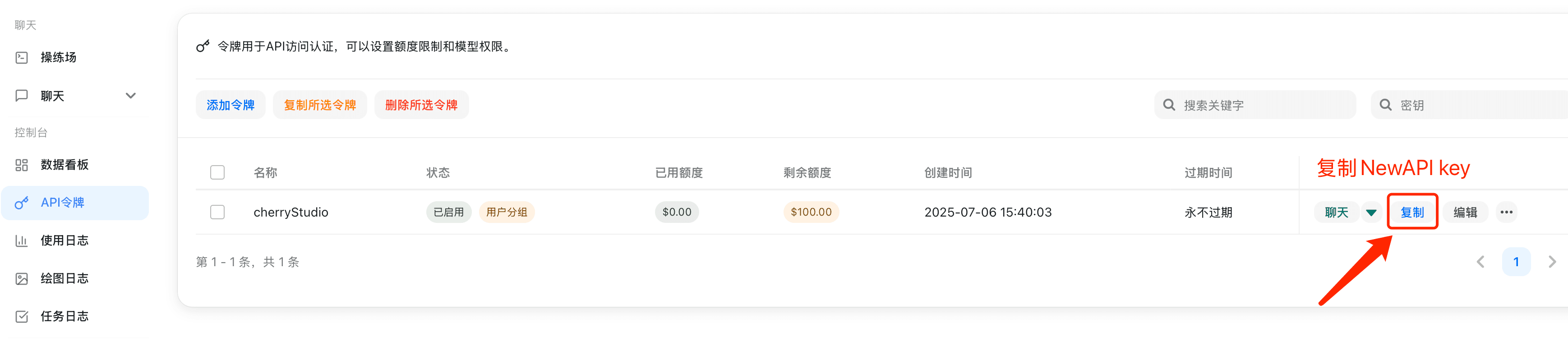
Add a Model Provider in Memoh
Log in to the Memoh Web dashboard, go to the provider management page, and click AI-Token.
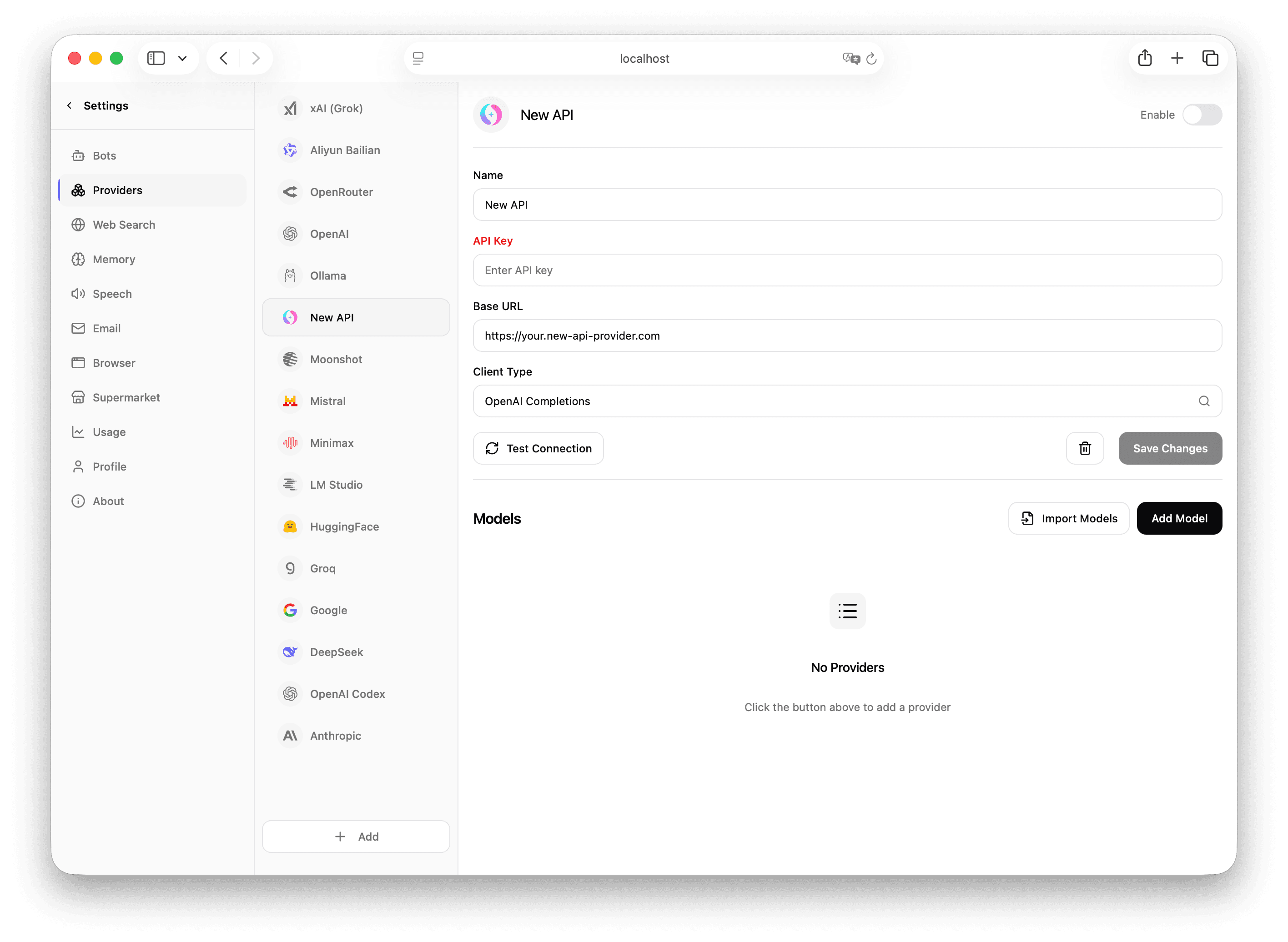
Fill in the following information on the configuration page:
- API Base URL: Enter the AI-Token endpoint URL, e.g.
https://api.example.com/v1(usehttp://localhost:3000/v1for local deployments) - API Key: Paste the API Key copied from AI-Token
Click Save to complete the provider configuration.
Import Models
After configuring the provider, go to the model management page and click auto-import or manually add the models you need.
Configure a Model for Your Bot
Go to the bot settings page, find the model configuration section, switch the default chat model to the one added via the AI-Token provider, and click Save.
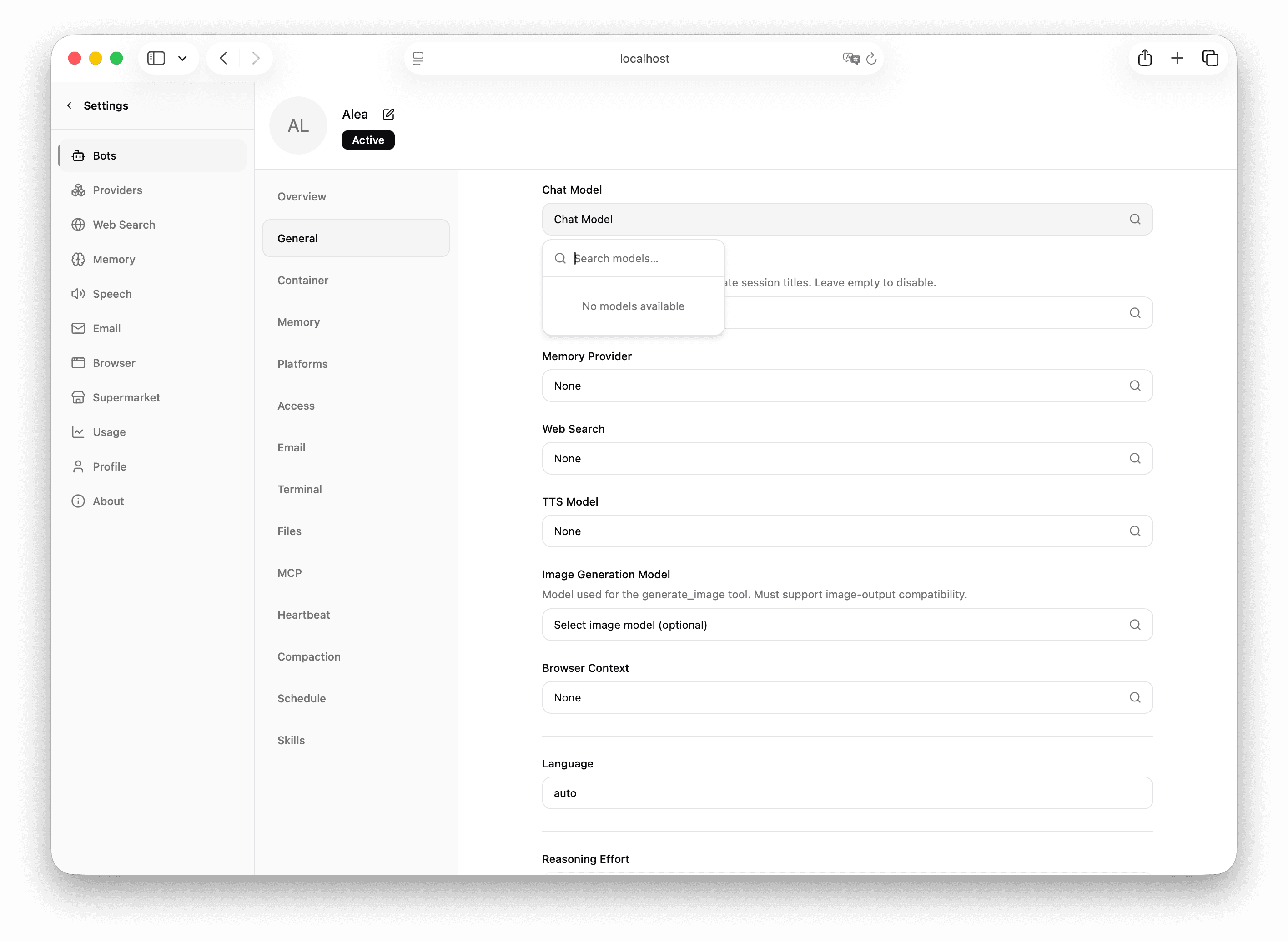
You have now successfully configured AI-Token as the model provider for Memoh. You can chat with AI bots through any of Memoh's channels (Telegram, Discord, Lark, etc.), and all requests will be routed through AI-Token.