
AI Apps
LangBot - Instant Messaging Bot Development Platform
LangBot integration guide — build AI-powered chatbots for Feishu, DingTalk, Telegram, Discord, and more. Supports Knowledge Base, Agent, and MCP with AI-Tkoens.
- Official Website: https://langbot.app
- Download Address: https://github.com/langbot-app/LangBot/releases
- Official Documentation: https://docs.langbot.app
- Open Source Address: https://github.com/langbot-app/LangBot
Integrating AI-Token
LangBot supports integrating with locally deployed AI-Token and third-party AI-Token services built using AI-Token.
Usage
-
Obtain an API key from AI-Token
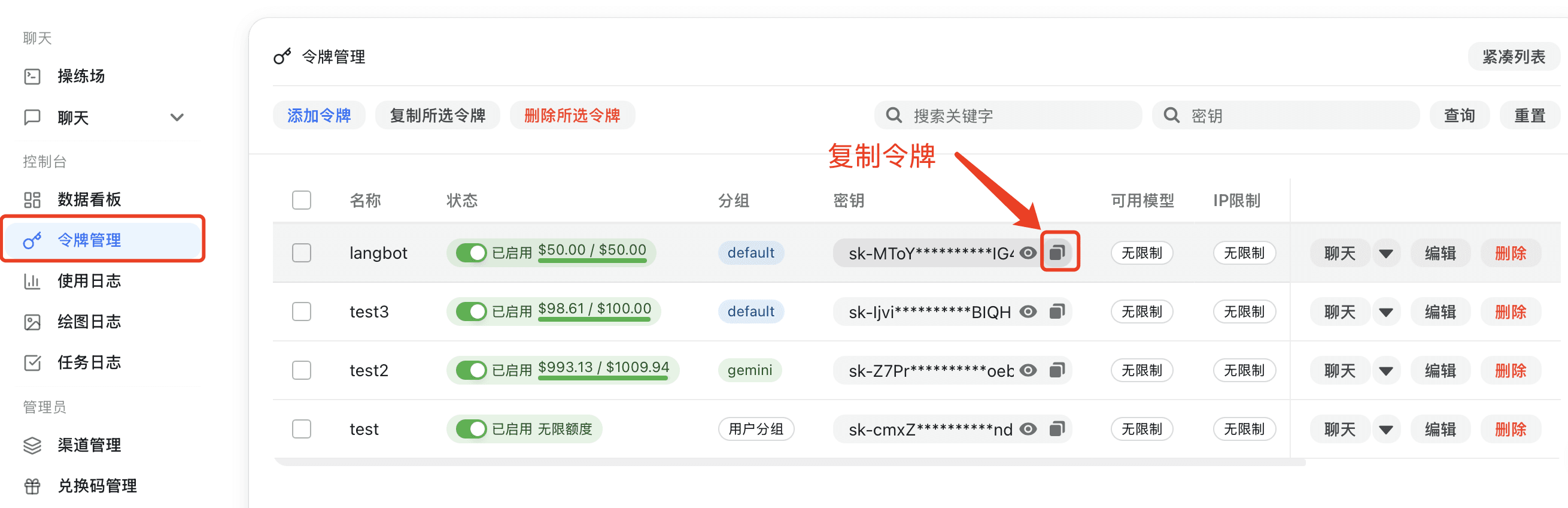
If AI-Token is deployed locally, please configure the API address yourself (refer to Container Network Connection). If using a third-party AI-Token service, you can copy the address from the page. Note that
/v1needs to be appended to the address. -
Add a model in LangBot, select AI-Token as the provider, and fill in the corresponding API key and API address
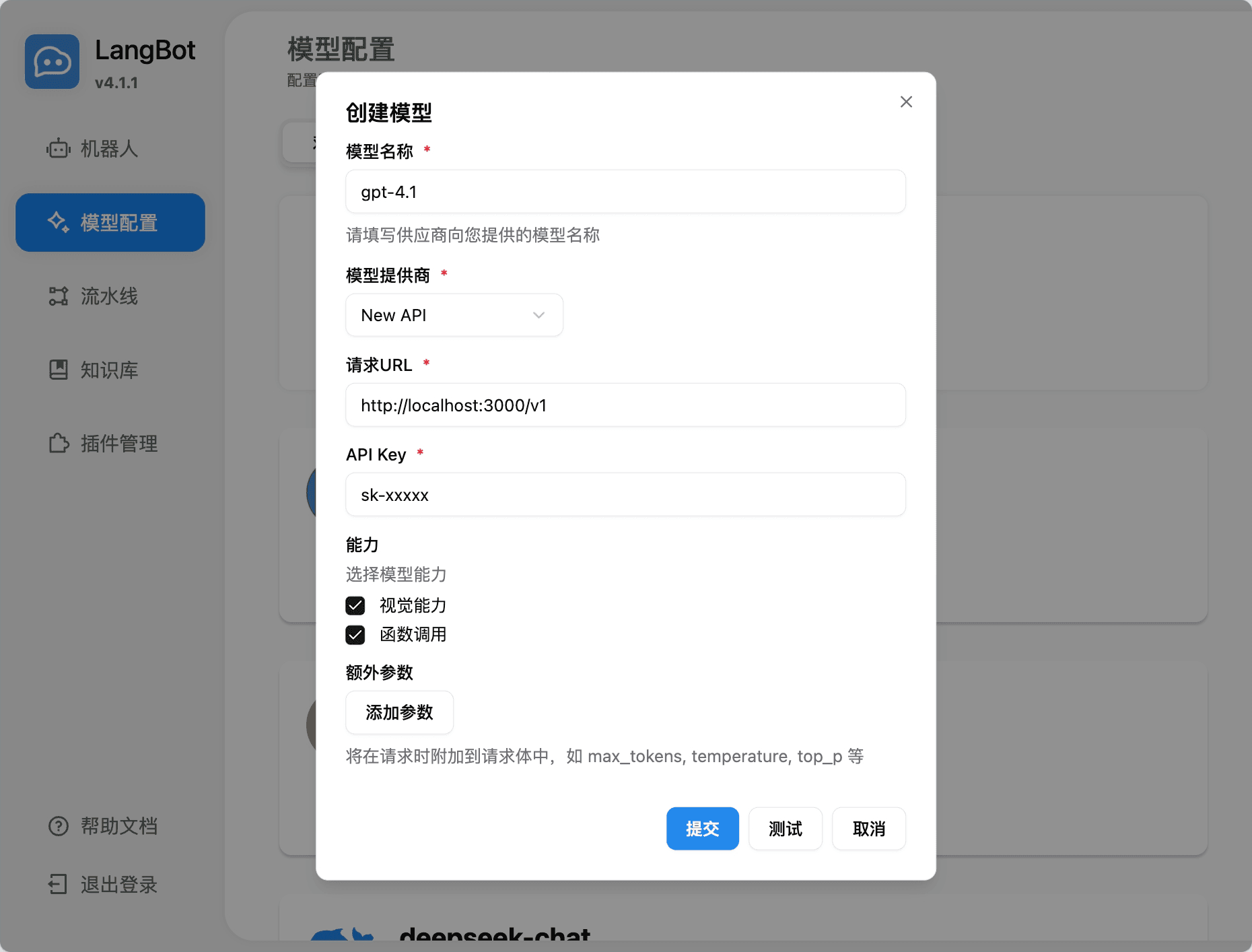
-
Select the model to use in the pipeline
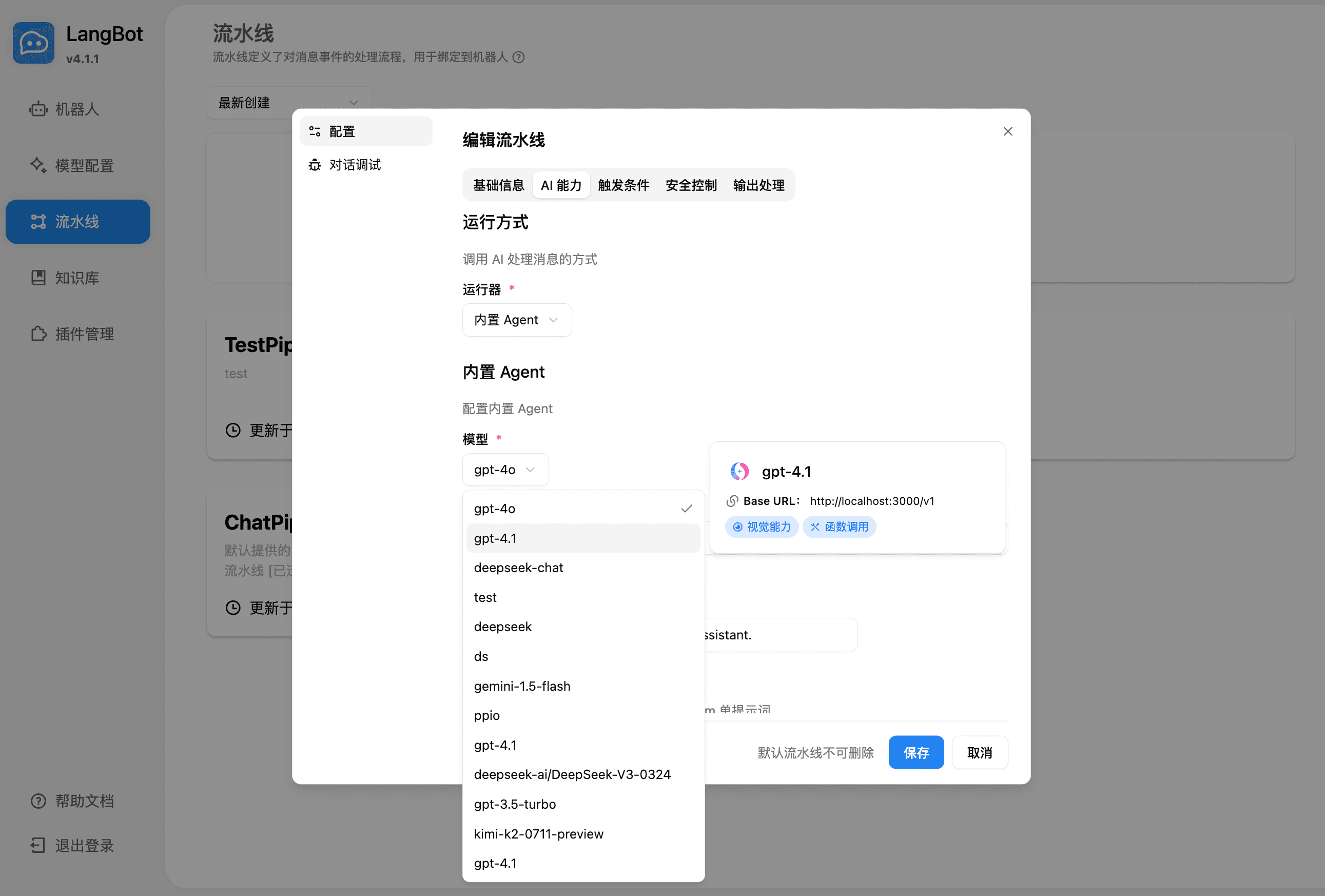
-
Use it by chatting in conversation debugging or by chatting with a bot bound to the pipeline
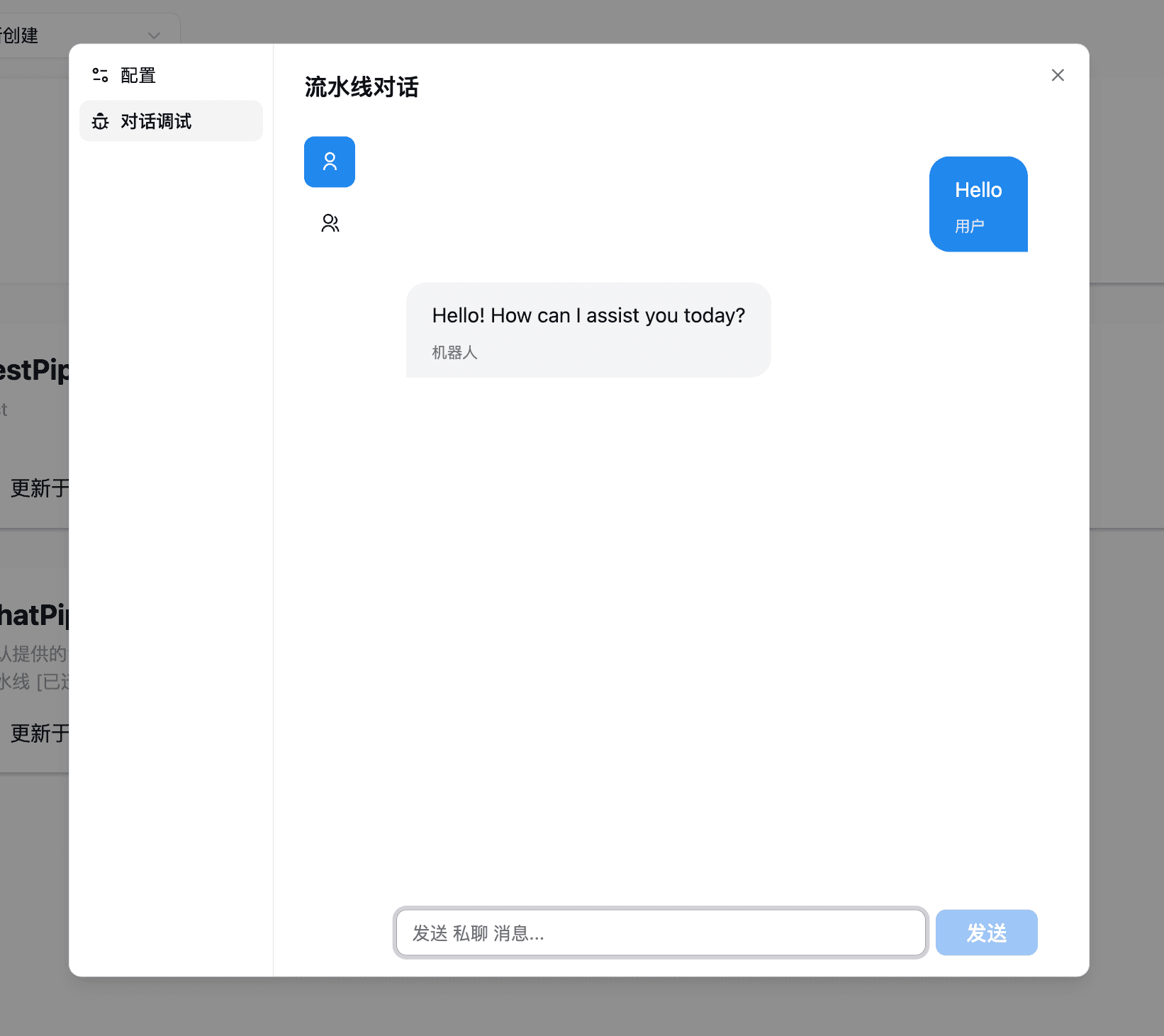
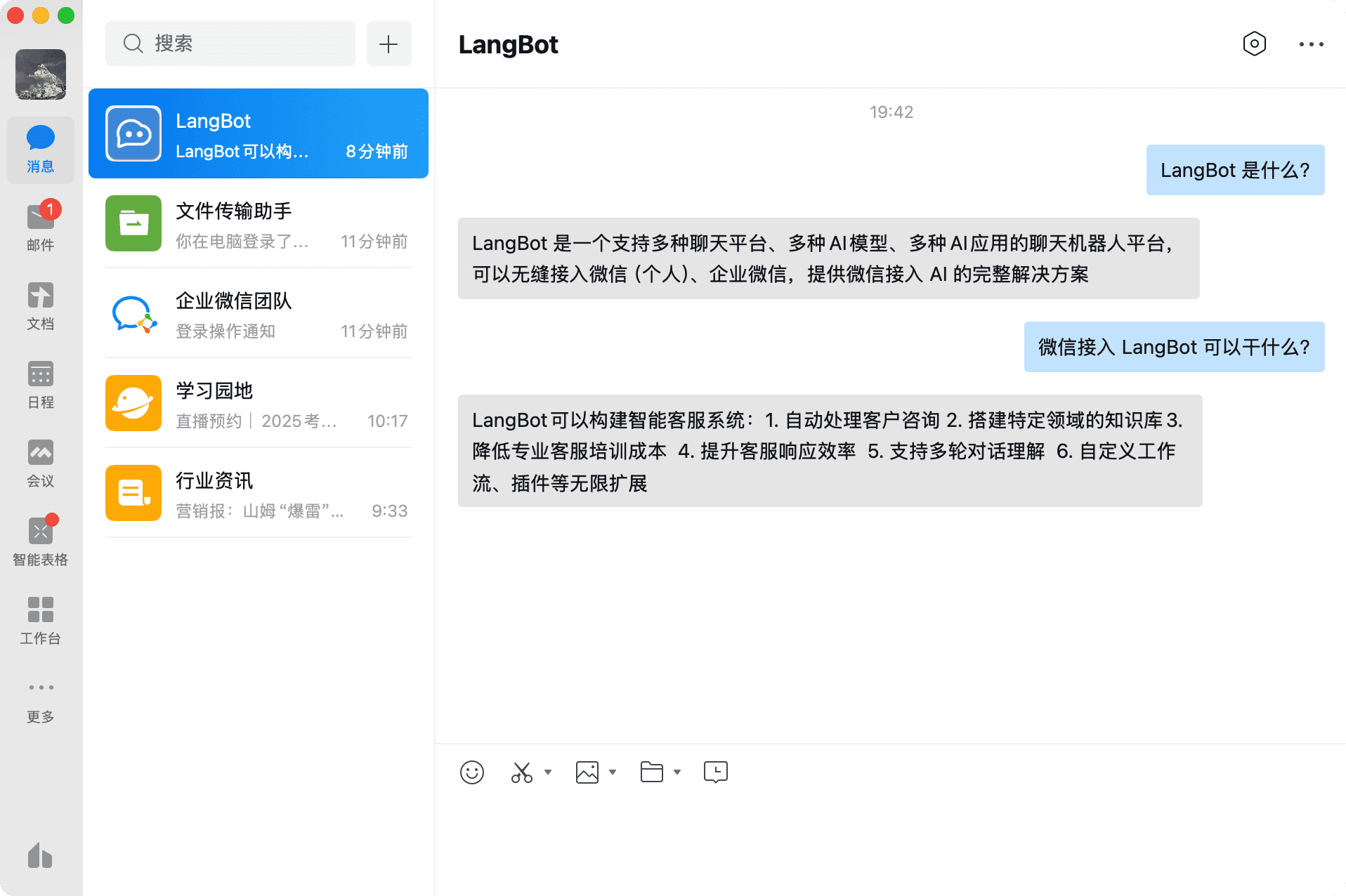
For deploying and configuring bots, please refer to Deploying Bots.
Using LangBot Knowledge Base
LangBot supports using AI-Token's embedding models and utilizing them as vector models for the knowledge base.
-
Add an embedding model in LangBot, select AI-Token as the provider
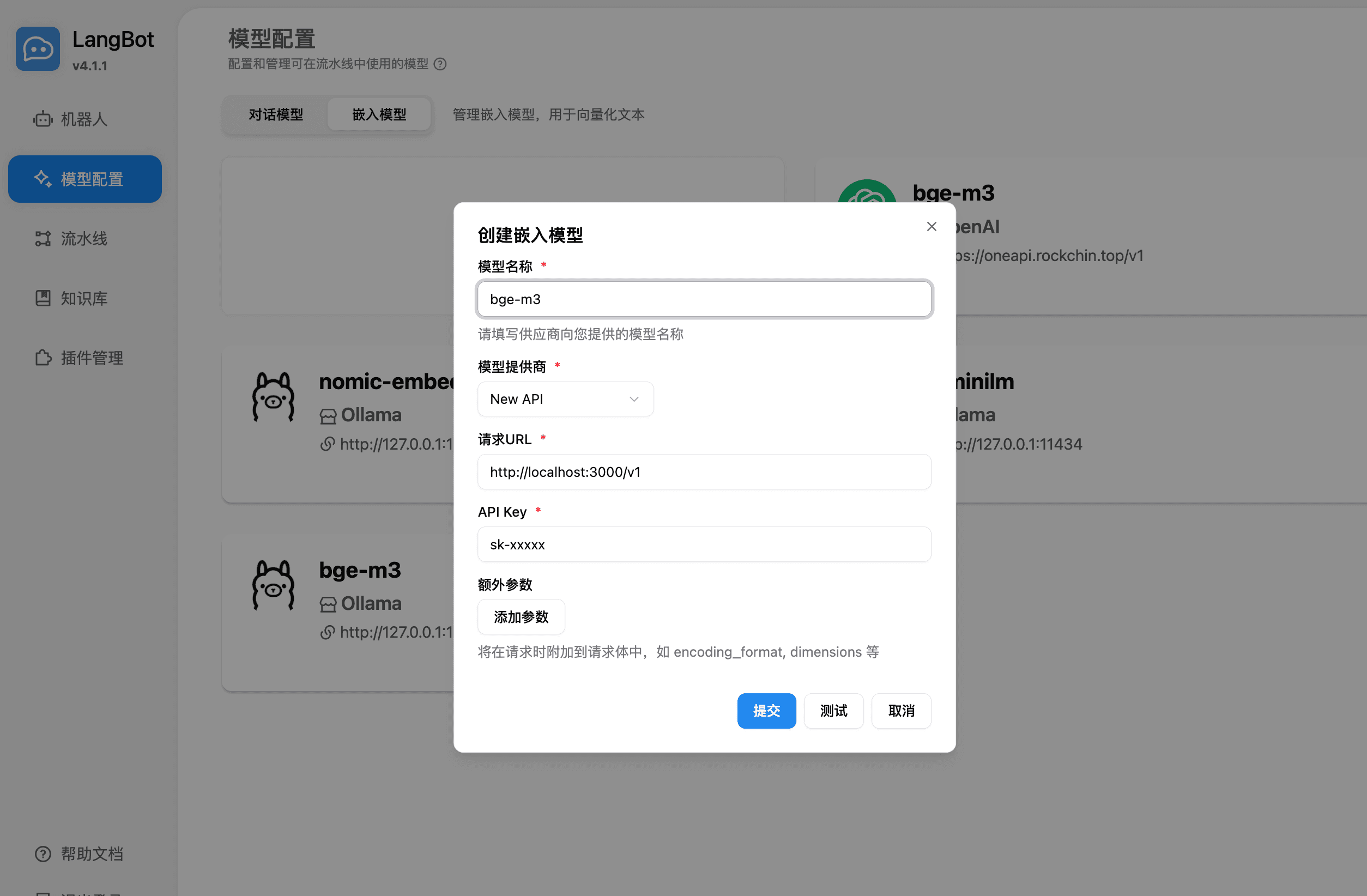
-
Select the embedding model when creating a new knowledge base
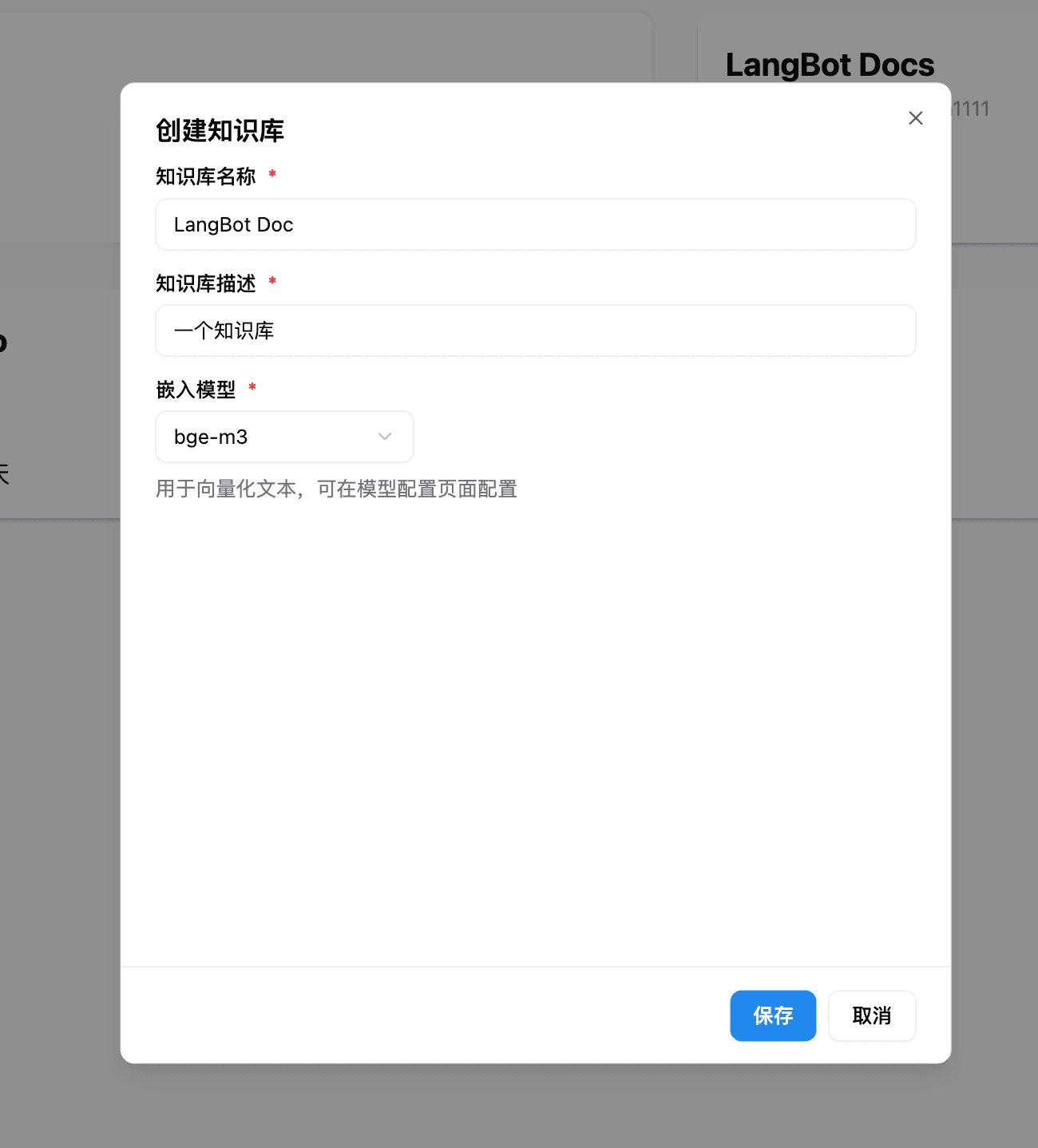
For more usage instructions, please refer to the LangBot official documentation: https://docs.langbot.app